Cordless Air Duster: Clean Keyboards, PC Vents, Desks
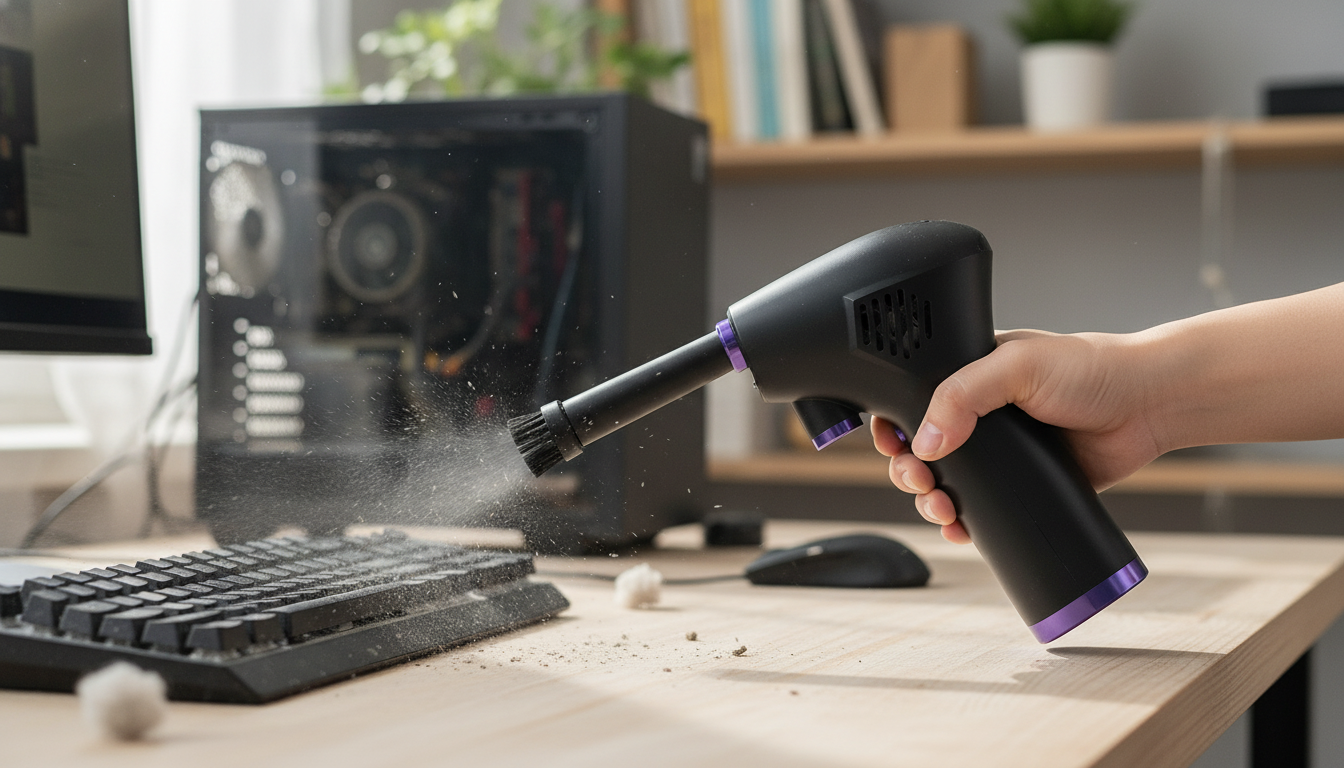
Powerful Cordless Air Duster for Clean Desks, PCs, and Hard-to-Reach Spots
A cordless air duster makes routine cleaning faster by pushing dust out of tight spaces without the waste and odor of disposable cans. It’s a practical tool for keeping keyboards, vents, and work surfaces cleaner day to day—especially in home offices where crumbs, pet hair, and fine dust collect around electronics. Below is a clear breakdown of what a cordless air duster does best, where it shines, the features worth prioritizing, and simple ways to use it safely around sensitive gear.
What a Cordless Air Duster Does (and Why It Replaces Canned Air)
A cordless air duster uses a compact motor to produce a focused stream of air that lifts and pushes debris out of crevices. It’s ideal for areas where wiping alone can’t reach—like between keyboard keycaps, around scroll wheels, inside vent grills, or along window tracks.
- Blows debris out of tight spaces in keyboards, PC cases, camera gear exteriors, vents, and car interiors without the “propellant” smell common in disposable cans.
- Reduces repeat purchases (and disposal) compared to single-use compressed air cans—an easy step toward less household waste (see the EPA’s reuse basics: https://www.epa.gov/recycle).
- Works on-demand for quick cleanups: desk crumbs, pet hair on pre-filters, dust in window tracks, and lint around small appliances.
- Fits naturally into a “clean workspace” kit alongside microfiber cloths and a small detailing brush.
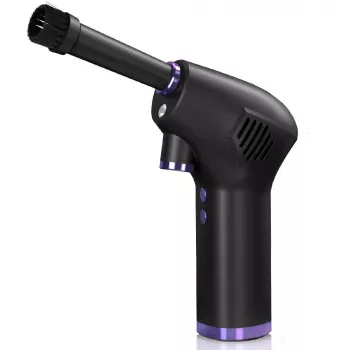
If you’re ready to switch from disposable cans to a reusable tool, the Powerful Cordless Air Duster is designed for portable, on-demand dusting around electronics and everyday surfaces.
Where It Helps Most: Practical Use Cases
Dust doesn’t just look messy—around electronics, it can restrict airflow and build up in places that are hard to access. A cordless air duster is most useful when you need targeted airflow without dragging out a vacuum or disassembling your entire setup.
- Desktop and laptop maintenance: fan grills, intake vents, and heat-sink areas (use caution to avoid overspinning fans).
- Keyboards and mice: between keycaps, around switches, under scroll wheels, and along seams where skin oils trap dust.
- Home and office corners: baseboards, window tracks, air purifier pre-filters, and radiator fins (gentle passes).
- Car detailing: seat rails, dashboard seams, AC vents, cup holders, and tight trim gaps that collect grit.
- Hobby and gear cleaning: gaming consoles, printer exteriors, workshop tool drawers, and small electronics enclosures.
For deeper computer-cleaning best practices (including what to avoid), Consumer Reports provides a helpful overview: https://www.consumerreports.org/computers/how-to-clean-your-computer-a1148098167/.
Features That Matter When Choosing a Powerful Cordless Air Duster
Not all air dusters feel the same in daily use. The best option is the one you’ll actually reach for—comfortable to hold, strong enough to move debris, and flexible enough to switch between delicate and heavy-duty jobs.
- Airflow performance: Look for strong, consistent output and multiple speed modes so you can clean a laptop vent without the same intensity you’d use on a car floor seam.
- Battery and charging: Longer runtime helps for whole-room cleanup sessions; USB charging is convenient for desk setups and travel.
- Nozzle options: Narrow tips for keyboards and crevices; wider tips for vents and larger surfaces; brush attachments for stubborn debris that needs agitation.
- Ergonomics: A comfortable grip, balanced weight, and easy-to-reach controls matter more than you’d think when you’re doing short bursts all week.
- Noise and heat management: More powerful motors can be loud; short pulses also help reduce heat buildup during extended use.
- Build quality: Sturdy housing and reliable switches hold up better to repeated daily use.
Quick Feature Checklist for Everyday Cleaning
| Cleaning task | Best nozzle/style | Suggested approach | Common mistake to avoid |
|---|---|---|---|
| Keyboard + laptop vents | Narrow nozzle | Short bursts at an angle; hold device a few inches away | Blasting continuously at close range |
| PC case filters | Wide nozzle | Remove filter; blow from clean side outward | Cleaning filters while installed (dust re-enters case) |
| Car vents + seams | Narrow nozzle | Work top to bottom; follow with microfiber wipe | Forcing debris deeper into seams |
| Air purifier pre-filter | Wide nozzle | Gentle passes; finish with vacuum if needed | Using maximum power on delicate mesh |
Safe Use Around Electronics and Delicate Parts
If you use compressed air at work or in a shop environment, it’s worth knowing the safety guidance around air pressure and cleaning practices (OSHA reference: https://www.osha.gov/laws-regs/regulations/standardnumber/1910/1910.242).
Maintenance Tips for Better Performance Over Time
A Simple Cleaning Routine for a Dust-Controlled Workspace
If you’re building a more sustainable home setup overall, reusable items can add up over time—like the Eco-Friendly Cloth Diaper Gift Set with Wet Bag for families who want to reduce disposable waste in everyday routines.
Powerful Cordless Air Duster: At-a-Glance Product Notes
To keep upkeep simple, consider pairing your cleaning habits with a practical household plan—some shoppers like using a lightweight guide such as Personal Finance Made Easy Ebook – Budgeting, Saving, Investing & Debt Management Guide for Financial Freedom to organize recurring home costs and replacement schedules.
FAQ
Is a cordless air duster safe for cleaning a PC?
Yes when used correctly: power down and unplug the PC, use short bursts from a few inches away, and avoid overspinning fans by not blasting directly into them.
Can a cordless air duster replace canned air for keyboards and consoles?
For most routine cleaning, yes—use a narrow nozzle for crevices and follow up with a microfiber cloth. If debris is compacted, a small brush can help loosen it before using airflow.
How often should vents and filters be cleaned?
In cleaner environments, monthly checks are usually enough; in dusty homes or with pets, every 2–4 weeks works better. PC intake filters often benefit from monthly cleaning to maintain airflow.













Leave a comment